Selfomy One Feature Update October: 6 Breakthrough Upgrades to Optimize Operations & Test Preparation
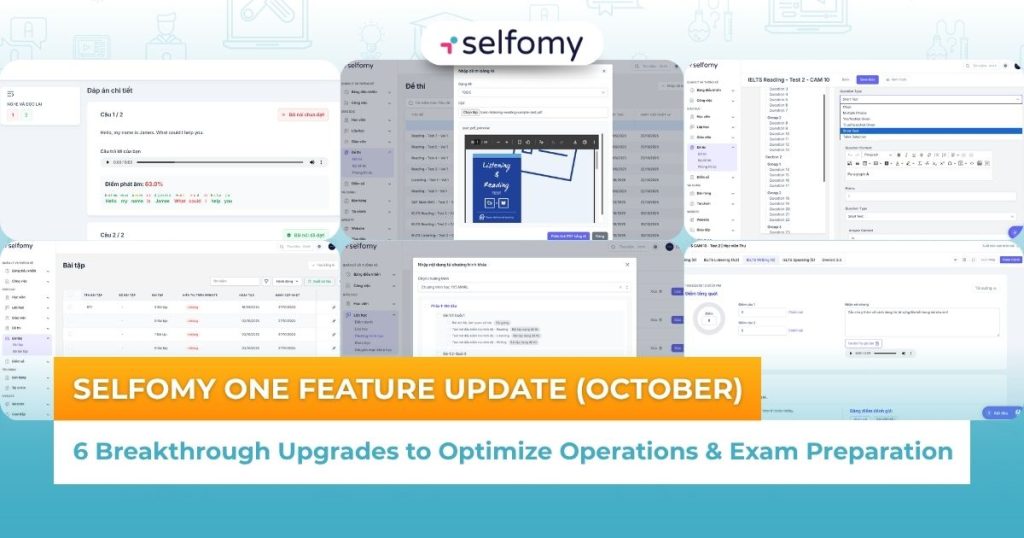
Selfomy One has just released the biggest Selfomy One feature update of October, bringing 6 breakthrough upgrades. From AI automatic question input to 100% real exam simulation, these features help the center optimize operations and improve training efficiency.
1. Why does Selfomy One keep updating features?
At Selfomy, we don’t just build software. We build solutions based on a deep understanding of the daily operational pain points of English centers. The Selfomy team has been working tirelessly to listen to your feedback and bring you the most powerful upgrades.
This October Selfomy One feature update isn’t just about small improvements, but a comprehensive makeover, focusing on three main pillars:
- Intelligent Automation (AI): Frees teachers from manual, time-consuming tasks.
- Authentic learning experience: Enhance student experience, simulate 100% real exam.
- Resource Optimization: Helps managers “reuse” resources, saving costs and time.
Let’s take a look at 6 newly launched breakthrough upgrades with Selfomy!
2. Details of 6 groundbreaking Selfomy One feature updates (October)
2.1. AI automatically enters exam questions
The pain of the past: Previously, it could take a teacher or teaching assistant 60-90 minutes to enter a 40-question IELTS Reading or Listening test into the system. This process was not only time-consuming, but also posed a lot of risks of errors when copying and formatting manually (copy-paste).
New solution: The AI feature of automatic test entry is revolutionary. Now, AI will automatically “read” the PDF file (including scanned files) you upload to extract and create complete IELTS, TOEIC, SAT test in just a few minutes. AI is smart enough to identify which is the question, which is the answer and which is the explanation.
- Core benefit: Save up to 95% of data entry time! Free up teachers to focus on their expertise instead of administrative work.
- See details at: https://selfomy.com/blog/ai-nhap-bai-tap-ielts-toeic-sat-tu-dong/
2.2. Simulate IELTS test formats
Previous pain: Many students practice very well on PDF files, but are “shocked” when entering the real exam room because they are not familiar with the drag-and-drop, highlight, or click operations on the interface.
New solution: Selfomy One is proud to be one of the rare LMS platforms that fully updates all types of IELTS test on computers. We not only simulate the interface, but also simulate 100% of the test taking operations of the most complex types such as:
- Matching (Matching Heading, Matching Features…)
- Table Completion / Table Selection
- Multiple Answers (Choose more than one answer)
- Core benefits: Brings an absolutely authentic test experience. Helps students get 100% familiar with the interface and pressure of the real test, maximizing scores.
- See details at: https://selfomy.com/blog/mo-phong-toan-bo-dang-de-ielts/
2.3. Record comments when grading Writing and Speaking tests
Previous pain points: Written feedback for Writing and Speaking is often dry, cold and time-consuming. It is also difficult for teachers to correct pronunciation or intonation errors by typing.
New Solution: Enhance the grading experience! Teachers can now record detailed, personal comments when grading Writing & Speaking. Instead of typing 100 words in 3 minutes, teachers can speak 400 words of insightful comments, conveying encouraging intonation and emphasizing important points.
- Core benefits: Personalized feedback, increased connection between teachers and students. Especially effective in correcting pronunciation and intonation (Speaking) errors visually.
- See details at: https://selfomy.com/blog/ghi-am-nhan-xet-cham-bai/
2.4. Listening and reading exercises to practice Shadowing
Previous pain: Students practice Shadowing technique “blindly”, not knowing if their pronunciation is correct or not, or if their intonation is correct.
New solution: We launched a brand new “Listen & Repeat” exercise format. Students listen to sample audio, record their own voice, and the AI system automatically analyzes and scores pronunciation and intonation.
- Core benefit: Provides instant and objective feedback for speaking practice, helping learners self-regulate and progress faster.
- See details at: https://selfomy.com/blog/bai-tap-nghe-va-doc-lai/
2.5. Centralized classroom management
Previous pain: Teachers in different classes, even within the same center, had to constantly recreate identical exercises. This resulted in a waste of resources and a lack of content consistency.
New solution: Selfomy One introduces a centralized assignment management page. This is a central “bank” that allows academic teams to create, categorize, and store assignments once. When assignments need to be assigned, teachers in any class can search and reuse assignments from this shared repository.
- Core benefit: “Create once, use forever”. Ensure consistency in exercise quality across the system and save hundreds of hours of teachers’ work.
- See details at: https://selfomy.com/blog/quan-ly-bai-tap/
2.6. Import a curriculum from a previous curriculum
Previous pain: Building a new course (e.g. IELTS 6.5 Intensive) while it is 80% similar to an existing course (IELTS 6.5), but teachers still have to manually recreate each Section, each Lesson.
New Solution: The course copy feature allows you to “clone” entire Sections, Lessons, or Units from an old course to a new course with just a few clicks.
- Core Benefits: Incredibly fast new course launches. Flexibility to design similar learning paths without having to rebuild from scratch.
- See details at: https://selfomy.com/blog/nhap-noi-dung-tu-chuong-trinh-khac/
3. Experience the latest version of Selfomy One today!
This Selfomy One feature update is our commitment to accompany and provide the sharpest tools, helping your center optimize operations and make a breakthrough in training quality.
Selfomy One invites you and your teachers to log in to your center’s Selfomy One system now to experience these great upgrades! If you have any questions, our support team is always ready to answer.

