Liên hệ tư vấn / Hỗ trợ kỹ thuật:  +84 938 848 549

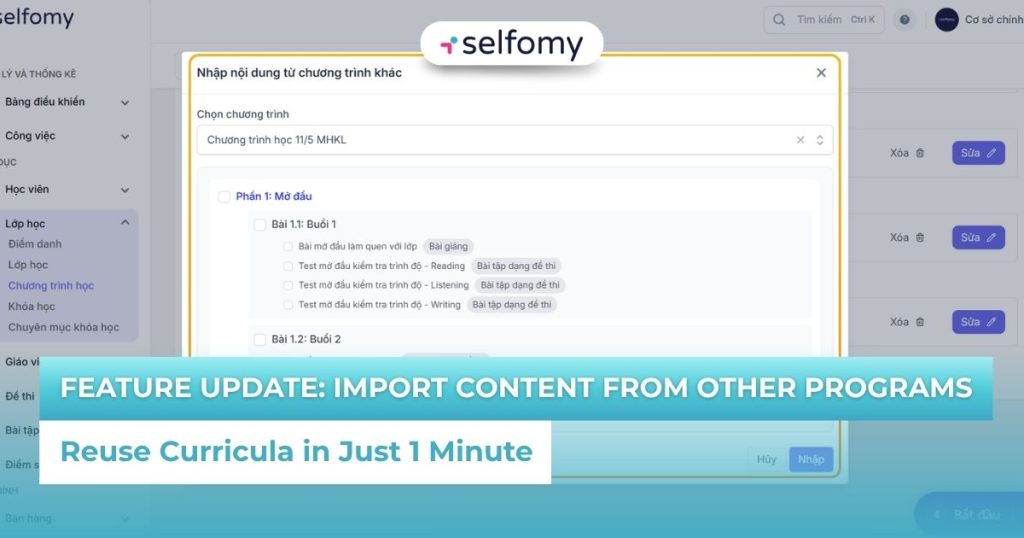
Update the feature to import (copy) content from other programs – Reuse the course in just 1 minute

Update the feature to import (copy) content from other programs – Reuse the course in just 1 minute

Building a curriculum for multiple classes and levels is always a time-consuming task. The feature of importing (copying) content from other programs that Selfomy One has just launched will completely solve this problem. Now, you can flexibly reuse existing quality content, speeding up the construction of new curriculum many times over.

1. The need to reuse curriculum content

English language centers often offer courses at different levels (e.g. IELTS 5.0, 6.0, 7.0), but there is a lot of common core content or exercises that can be reused. However, if they have to manually re-enter each Lesson or Unit, the centers will face the following problems:

    1. Waste of time: Spending hours recreating existing Sections, Lessons or Units.
    2. Risk of Error: Manual copying can easily lead to errors, missing assignments, or missing document files.
    3. Slow Operation: Slow pace of creating new curriculum, hindering class opening and expansion.

Understanding this operational pressure, Selfomy One has developed a feature to import (copy) content from other programs to maximize the efficiency of academic administrators.

2. Details of the feature to import (copy) content from other programs on Selfomy One

The import (copy) feature allows users to flexibly reuse one or more sections, lessons, or lesson units (including exercises/content) from other learning programs already in the system. This operation saves a significant amount of time when building a new learning program structure.

2.1. Curriculum structure and reusability

The curriculum structure on Selfomy One is organized in a clear hierarchy:

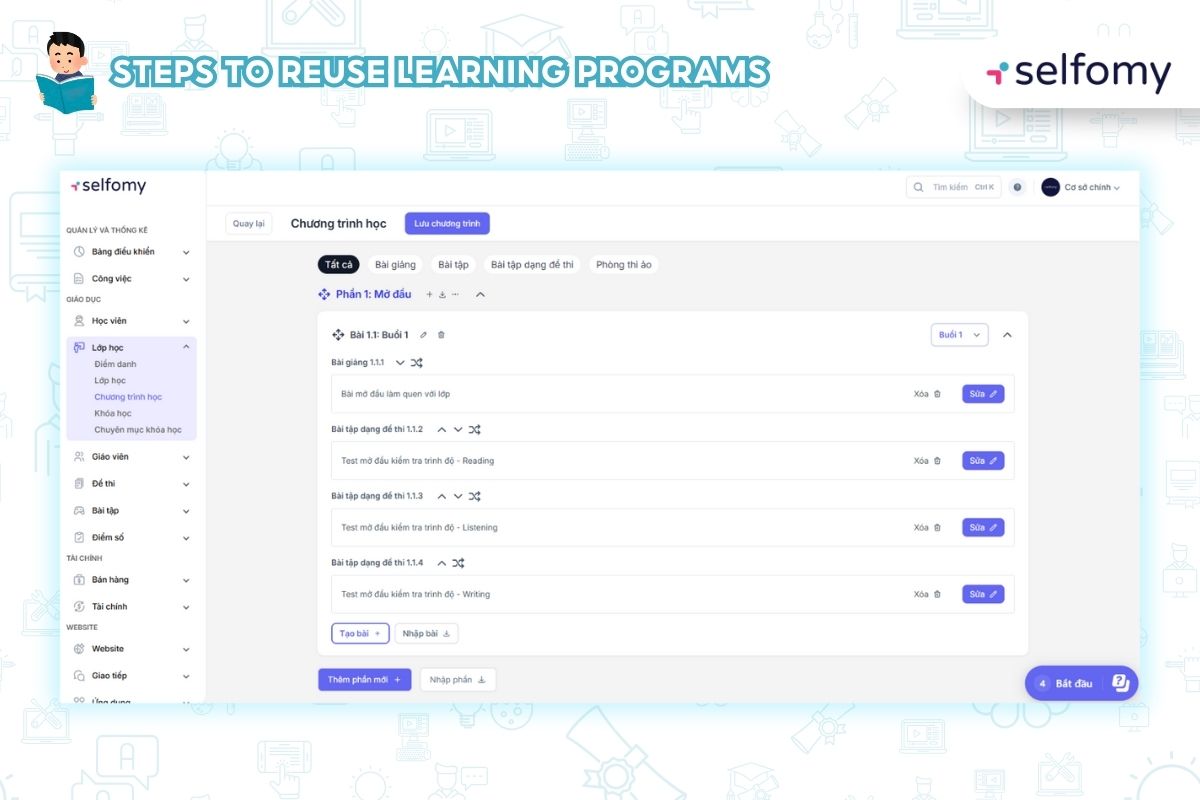
Curriculum → Section → Lesson → Lesson Unit

Thanks to this structure, the feature of importing (copying) content from another program allows the user to flexibly choose the level of content to copy:

    • Import Section: Copy an entire large “Section”, including all Lessons and Sub-Lesson Units.
    • Import Lesson: Copy a specific “Lesson”.
    • Import lesson units: Copy a single piece of content (exercise, lecture, virtual exam room) independently.

2.2. The process of implementing content reuse

The process of importing (copying) content from another program is intuitively designed and takes just a few simple steps:

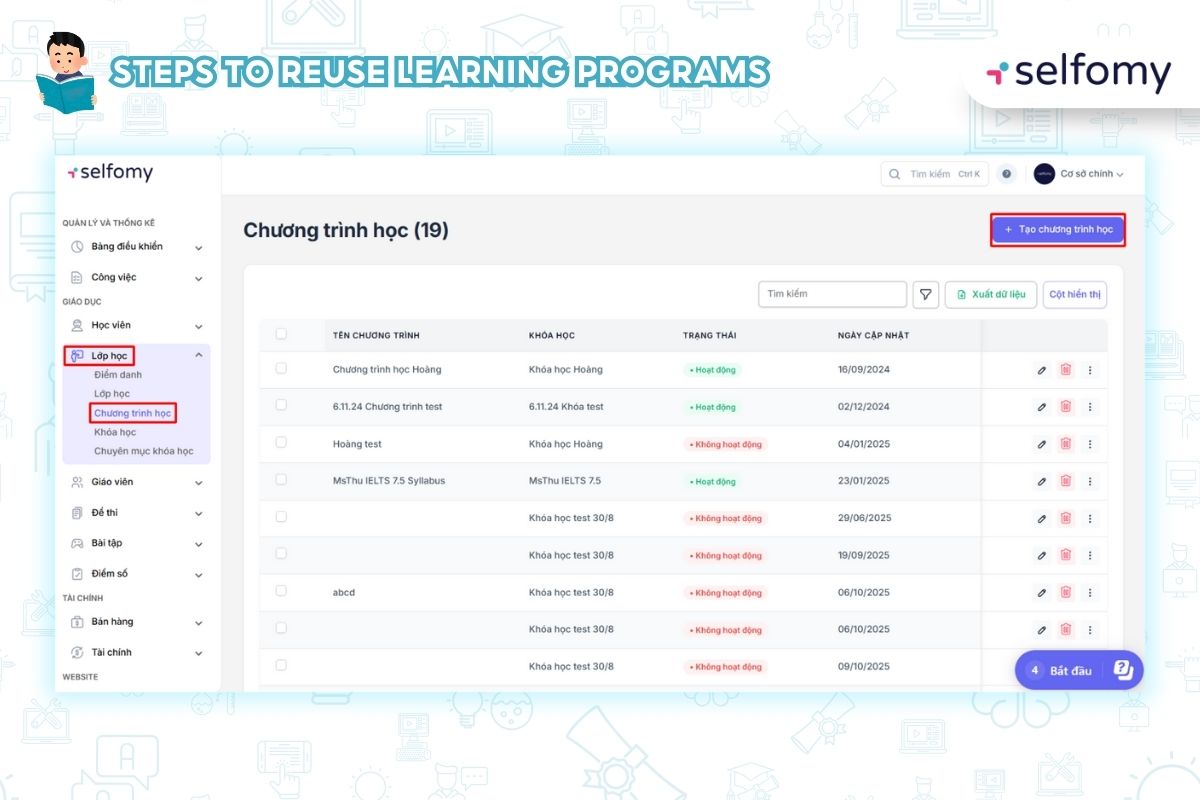
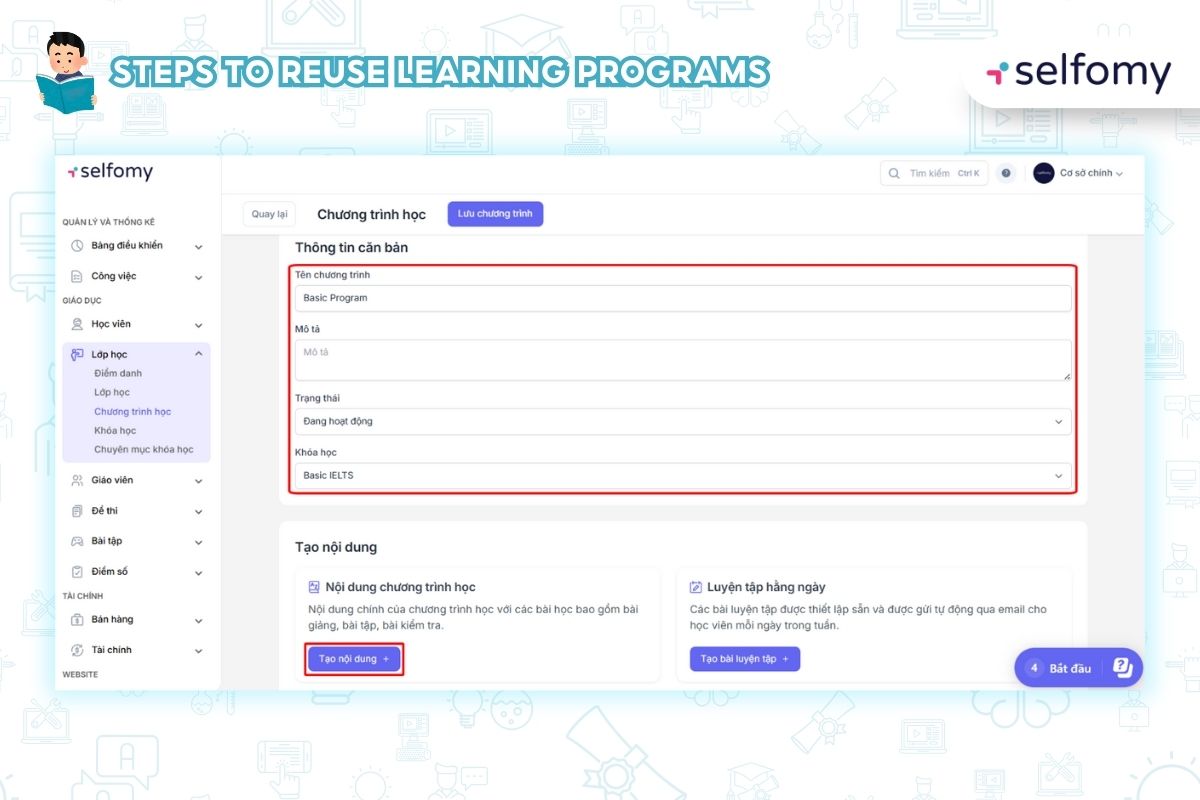
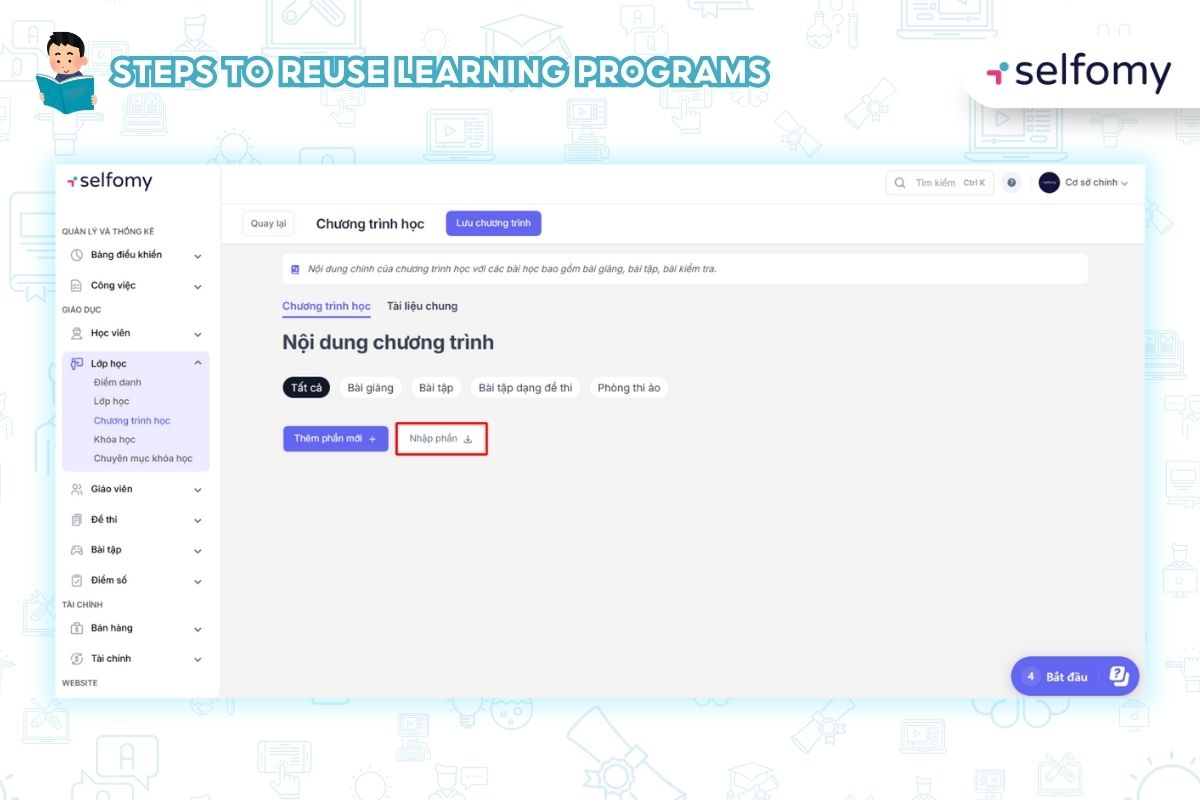
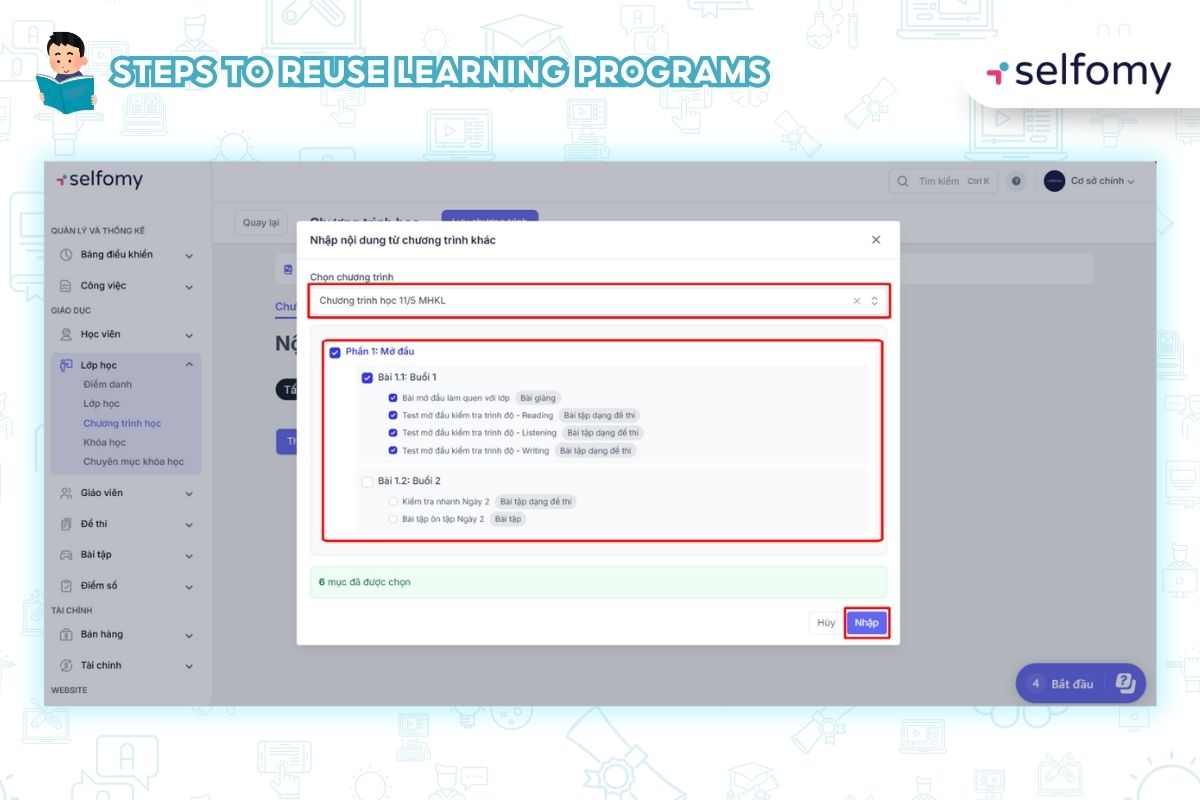
    1. Go to the program import interface: From the new program content page, select the Import section action.
    2. Search and select source: A sub-window opens, allowing you to search and select a pre-existing course as a source to copy.
    3. Content Options: You select specific sections, lessons, or lesson units within the source program that you want to reuse.
    4. Complete Import : Press the Import button to complete copying. The selected content will immediately appear in the new curriculum.

3. Benefits of using the feature of importing (copying) content from other programs

Applying the Import (copy) content feature from other programs brings clear efficiency to the curriculum building process:

3.1. Save Time Building New Curriculum

Instead of having to manually recreate or copy each piece of content, teachers and academic administrators can reuse the entire structure in just a few minutes. This improves the speed of creating new curriculum many times over, allowing the center to open classes faster.

3.2. Ensuring Content Consistency and Quality

By copying directly, you eliminate the risk of errors in the data entry process. Any reused section, lesson, or unit is guaranteed to be of the same quality, format, and accuracy as the original. Importing (copying) content from other programs helps maintain consistency of quality across courses and branches.

3.3. Increasing Curriculum Flexibility

Users can flexibly adjust and combine available content from many different programs to design a customized course according to the specific requirements of students or businesses.

4. Conclusion

The feature of importing (copying) content from other programs on Selfomy One is the ultimate solution to the problem of optimizing curriculum development time. By allowing flexible reuse of existing sections, lessons and units, Selfomy One helps your center ensure consistent content quality while saving 90% of academic operation time.

Don’t let your team waste time recreating existing content. Let Selfomy One help you speed up the creation of new learning programs and focus on scaling!

Check out this step-by-step guide on how to use this groundbreaking feature: Import (copy) content from another program into the current program


Leave a Reply

Your email address will not be published. Required fields are marked *

This is a staging environment