Selfomy One Launches Voice Feedback Feature for Writing & Speaking Grading
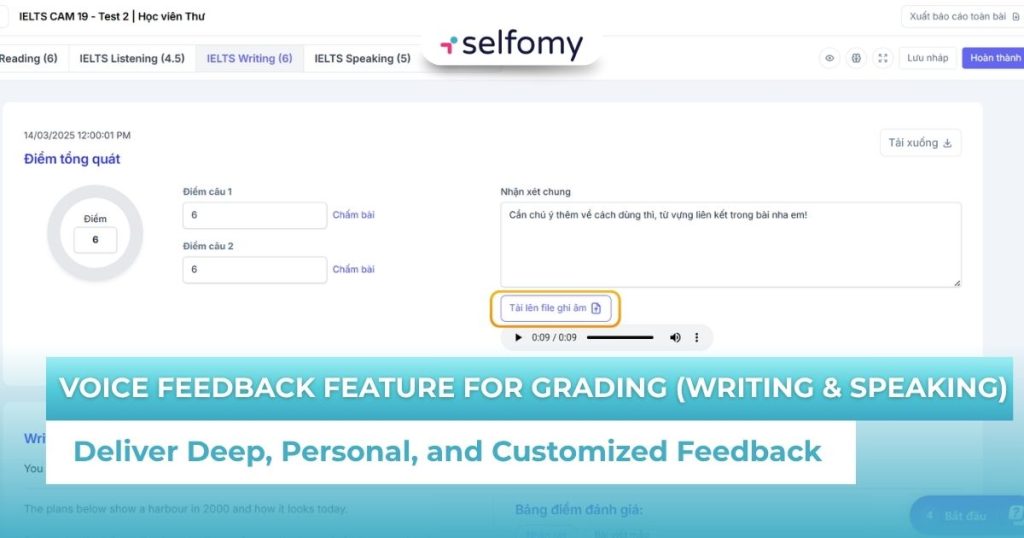
Typing feedback is a thing of the past! Selfomy One is thrilled to introduce the Voice Feedback feature for Writing & Speaking grading. This game-changing solution helps teachers deliver deeper, more personal, and customized feedback, enabling students to remember longer and achieve faster progress.
1. Limitations of Text-Based Feedback in Language Teaching
For years, what has been the standard procedure for grading online Writing or Speaking assignments? Teachers painstakingly type hundreds, sometimes thousands, of words of comments into a Word file or a chatbox. This process presents three major obstacles:
- Cold and Lacking Connection: Red lines of text, no matter how detailed, often feel dry and impersonal. Students (especially younger learners or those who are easily discouraged) may feel heavily criticized, which reduces their learning motivation.
- Limited Content and Intonation: Written words struggle to convey tone and nuance. A sentence like, “You need to pay more attention to your pronunciation,” can come across as negative in writing, but when spoken with a friendly, encouraging tone, it becomes constructive and motivating.
- Impossible for Speaking Correction: This is the biggest challenge. How can you effectively correct pronunciation, word stress, or linking sounds using only text? Teachers can only type out IPA symbols, which students often don’t know how to read.
This creates an invisible barrier, making the feedback less effective and wasting significant teacher time on a monotonous, administrative task.
2. Introducing the New Audio Grading Feature on Selfomy One
Deeply understanding this “pain point,” Selfomy One is proud to launch a revolutionary update: the Voice Feedback feature.
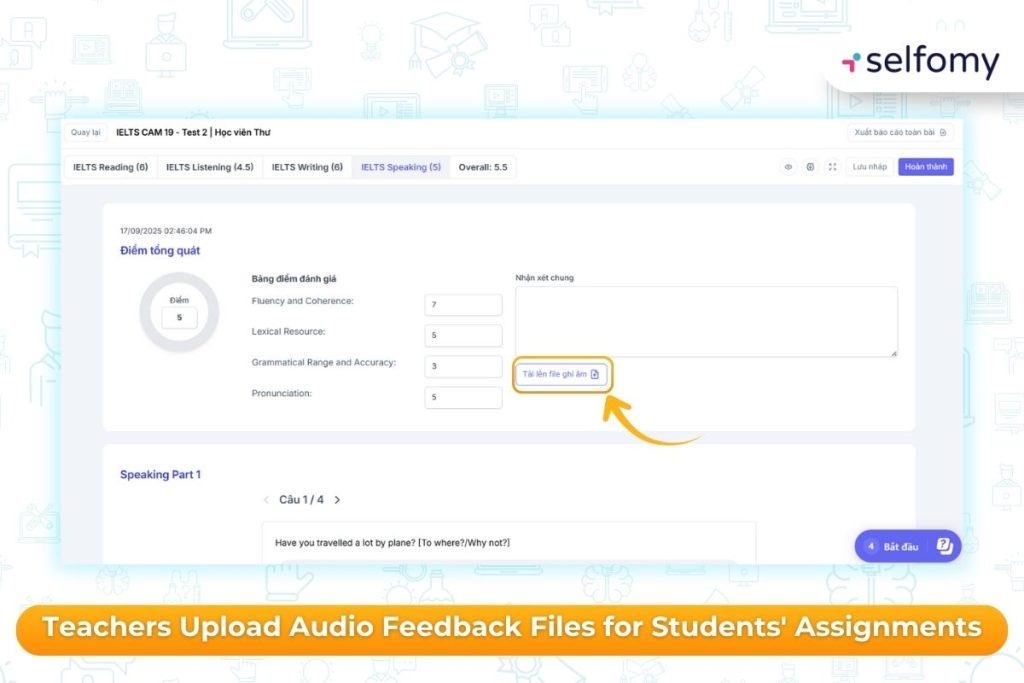
Instead of just a simple “General Comment” text box, teachers will now see an “Upload Audio File” icon directly on the Selfomy One grading interface. This feature allows teachers to:
- Record Directly: Use the computer or phone’s microphone to record immediate feedback.
- Upload Existing Files: Upload an audio file that was previously recorded and edited.
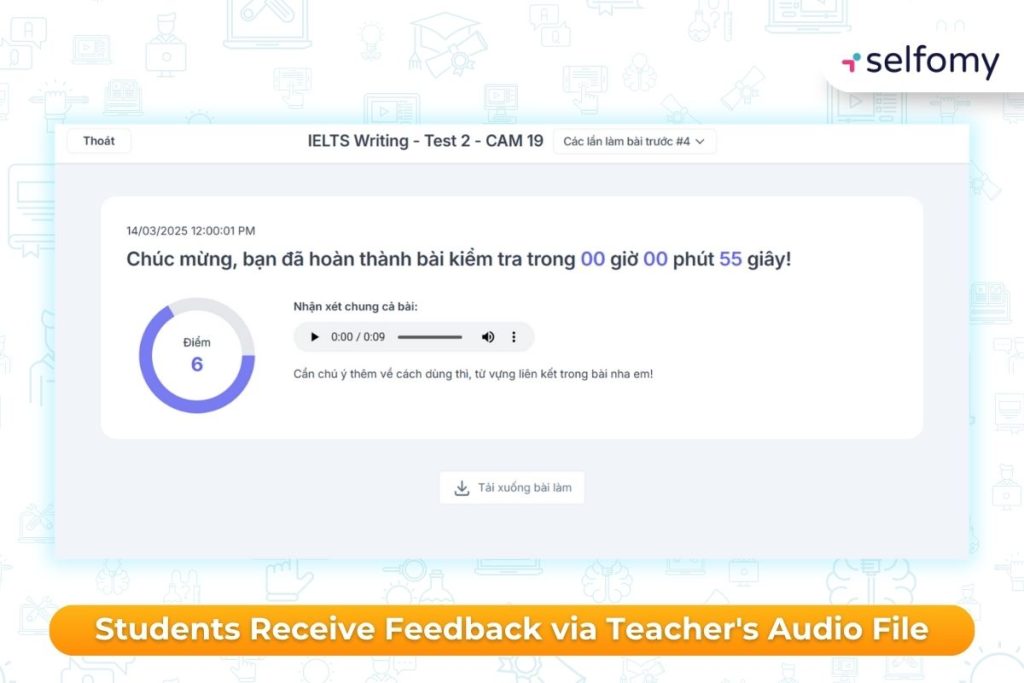
When students receive their results, they won’t just see a score; they can click and listen to detailed, intimate audio feedback directly from their teacher.
3. Why Audio Feedback is Essential for English Language Centers?
The shift from “typing” to “speaking” is not just a technological change; it’s an upgrade in pedagogy. Here are the strategic benefits that the voice feedback feature brings:
3.1. Maximum Personalization and Increased Connection
This is the most significant benefit. When students hear their teacher’s voice, they feel a genuine sense of care and attention.
- Rapport and Better Retention: Audio (the human voice) has a stronger impact on emotional memory than text. A verbal compliment is more motivating. Gentle, spoken advice is more easily accepted.
- Reduces “Red Ink Fear”: Instead of seeing a document covered in errors, students get to “have a conversation” with their teacher about their work. This changes the psychological dynamic from “being judged” to “being coached,” helping students become more open to error correction.
3.2. Deliver More In-Depth Content
The average speaking speed is 3 to 4 times faster than typing speed.
- More Information in Less Time: Instead of typing 100 words in 3 minutes, a teacher can speak 400–500 words. This means that, within the same timeframe, the teacher can provide vastly more detailed and comprehensive comments.
- Convey Tone and Emphasis: This is something text cannot do. Teachers can use their vocal tone to emphasize critical points. For example: “Your introduction was excellent, the idea is clear. However, in the second body paragraph, I noticed…” This verbal emphasis helps students pinpoint their core strengths and weaknesses.
3.3. Innovation in Speaking Correction
In the past, online Speaking assessment was deeply flawed. Teachers could not effectively correct pronunciation via text. But with the audio grading feature, everything changes:
- Direct Pronunciation Modeling: The teacher can say: “Your pronunciation of ‘society’ is incorrect. You are saying ‘so-say-ti,’ and the stress is wrong. Listen to my model: /səˈsaɪəti/. See? The stress falls on the second syllable…”
- Correcting Linking Sounds and Intonation: Teachers can model an entire sentence to point out linking sounds (e.g., ‘get on’) or the correct rising intonation in a Yes/No question.
This is the only truly effective voice-based feedback method for improving a student’s Speaking skills remotely.
3.4. Optimize Teacher Time
For teachers, especially when grading Writing, speaking their thoughts is often much faster and more natural than having to type and edit a written review. The voice feedback feature helps them complete grading faster, reduces fatigue, and frees up time to focus on other professional activities.
4. How to Use the Voice Feedback Feature for Grading
Integrating this new feature into the Selfomy One grading process is seamless:
- Access the Grading Interface: The teacher opens the student’s assignment (Writing or Speaking).
- Enter Detailed Scores: Input scores for each question or criterion (e.g., Score for Task Response, Score for Grammar).
- Record Feedback: Instead of typing in the “General Comments” box, the teacher finds the “Upload Audio File” icon.
- Perform Recording: The teacher can click the record button directly in the browser or upload a pre-recorded audio file.
- Save and Submit: The teacher clicks “Complete” to submit the results. Students will receive a notification and can access their scores, as well as listen to their teacher’s detailed audio review.
5. Conclusion
In the fiercely competitive EdTech market, teaching quality and student experience are the deciding factors. The voice feedback feature is not just a technological tool; it is an upgrade in pedagogical approach.
It helps bridge the gap between teacher and student, transforming grading from a dry “obligation” into a constructive “conversation.” This is Selfomy One’s commitment to providing an LMS for English Language Centers that is truly insightful and highly effective.
Are you ready to deliver a 5-star experience for your students? Explore Selfomy One and the Voice Feedback feature today!

